
In this blog, we will build an AI email agent that uses multiple Langbase pipes to:
- Summarize an email
- Analyze sentiment of the email
- Decide whether the email needs a response or not
- Pick the tone of the response email
- Generate a response email
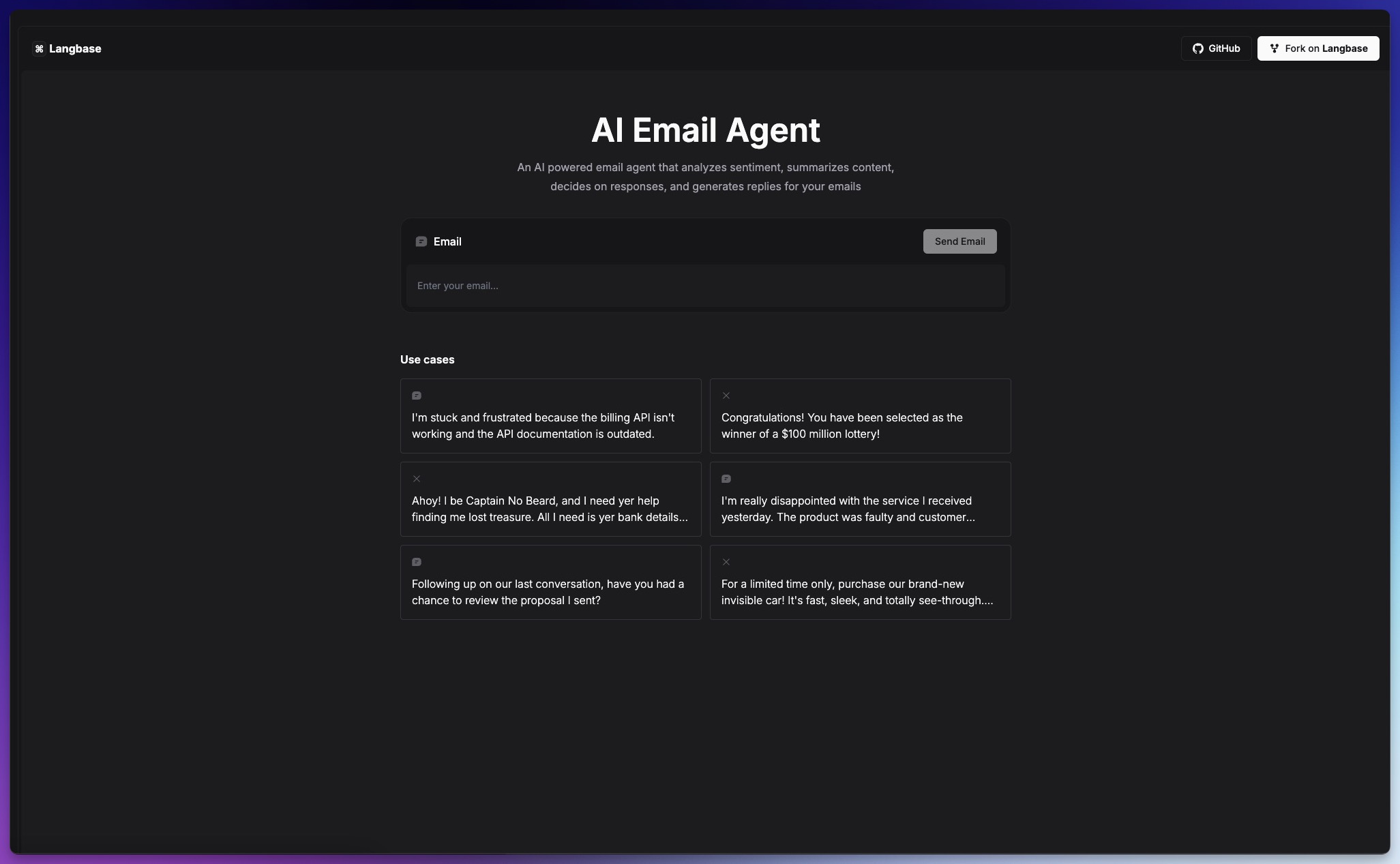
We will create a basic Next.js application that will use the Langbase SDK to connect to the AI pipes and generate responses in order that will be used by other pipes to complete the workflow of our agent.
Let's get started!
Step 0: Create a Next.js Application
To build the agent, we need to have a Next.js starter application. If you don't have one, you can create a new Next.js application using the following command:
1npx create-next-app@latest ai-email-agentThis will create a new Next.js application in the ai-email-agent directory. Navigate to the directory and start the development server:
1cd ai-email-agent
2npm run dev
Once the development server is running, you can open the application in your browser at http://localhost:3000
Step 1: Install Langbase SDK
Install the Langbase SDK in this project using npm or pnpm.
1npm install langbaseStep 2: Fork the AI pipes
Fork the following pipes needed for the AI email agent in Langbase dashboard:
- Email Sentiment → A pipe to analyze the sentiment of the incoming email
- Summarizer → Summarizes the content of the email and make it less wordy for you
- Decision Maker → Decides if the email needs a response, the category and priority of the response
- Pick Email Writer → An AI pipe that picks the tone for writing the response of the email
- Email Writer → A pipe that will write a response email
Now that you have the API keys for each of the pipes. You can use these keys to initiate pipes using the Langbase SDK. Copy and paste these keys in the .env.local file of your project.
1# Replace `PIPE_API_KEY` with the copied API key of the `email-sentiment` pipe
2LANGBASE_AI_PIPE_SENTIMENT_API_KEY="PIPE_API_KEY"
3
4# Replace `PIPE_API_KEY` with the copied API key of the `summarizer` pipe
5LANGBASE_AI_PIPE_SUMMARIZER_API_KEY="PIPE_API_KEY"
6
7# Replace `PIPE_API_KEY` with the copied API key of the `decision-maker` pipe
8LANGBASE_AI_PIPE_DECISION_MAKER_API_KEY="PIPE_API_KEY"
9
10# Replace `PIPE_API_KEY` with the copied API key of the `pick-email-writer` pipe
11LANGBASE_AI_PIPE_PICK_EMAIL_WRITER_API_KEY="PIPE_API_KEY"
12
13# Replace `PIPE_API_KEY` with the copied API key of the `email-writer` pipe
14LANGBASE_AI_PIPE_EMAIL_WRITER_API_KEY="PIPE_API_KEY"
Step 3: Sentiment Analysis
Create a new file in app/api/sentiment/route.ts and add the following code:
1import { Pipe } from 'langbase';
2
3export const runtime = 'edge';
4
5export async function POST(req: Request) {
6	try {
7		if (!process.env.LANGBASE_AI_PIPE_SENTIMENT_API_KEY) {
8			throw new Error(
9				'Please set LANGBASE_AI_PIPE_SENTIMENT_API_KEY in your environment variables.'
10			);
11		}
12
13		// Get email from the client.
14		const body = await req.json();
15		const { email } = body;
16
17		const pipe = new Pipe({
18			apiKey: process.env.LANGBASE_AI_PIPE_SENTIMENT_API_KEY
19		});
20
21		const sentiment = await pipe.generateText({
22			variables: {
23				email: email
24			}
25		});
26
27		// Parse JSON response from Langbase
28		const response: JSON = JSON.parse(sentiment.completion);
29
30		return Response.json(response);
31	} catch (error: any) {
32		console.error('Uncaught API Error:', error);
33		return new Response(JSON.stringify(error), { status: 500 });
34	}
35}
Send a POST request to the /api/sentiment endpoint with the email content in the request body to get the sentiment analysis of the email.
1const analyzeSentiment = async (email: string) => {
2	const response = await fetch('/api/sentiment', {
3		method: 'POST',
4		headers: {
5			'Content-Type': 'application/json'
6		},
7		body: JSON.stringify({ email })
8	});
9
10	const sentimentAnalysis = await response.json();
11	return sentimentAnalysis;
12};
Step 4: Summarize Email
Create a new file in app/api/summarize/route.ts and add the following code:
1import { Pipe } from 'langbase';
2
3export const runtime = 'edge';
4
5export async function POST(req: Request) {
6	try {
7		if (!process.env.LANGBASE_AI_PIPE_SUMMARIZER_API_KEY) {
8			throw new Error(
9				'Please set LANGBASE_AI_PIPE_SUMMARIZER_API_KEY in your environment variables.'
10			);
11		}
12
13		// Get email from the client.
14		const body = await req.json();
15		const { email } = body;
16
17		const pipe = new Pipe({
18			apiKey: process.env.LANGBASE_AI_PIPE_SUMMARIZER_API_KEY
19		});
20
21		const summary = await pipe.generateText({
22			variables: {
23				content: email
24			}
25		});
26
27		return new Response(
28			JSON.stringify({
29				summary: summary.completion
30			}),
31			{ status: 200 }
32		);
33	} catch (error: any) {
34		console.error('Uncaught API Error:', error);
35		return new Response(JSON.stringify(error), { status: 500 });
36	}
37}
Send a POST request to the /api/summarize endpoint with the email content in the request body to get the summarized content of the email.
1const summarizeEmail = async (email: string) => {
2	const response = await fetch('/api/summarize', {
3		method: 'POST',
4		headers: {
5			'Content-Type': 'application/json'
6		},
7		body: JSON.stringify({ email })
8	});
9
10	const summarizedEmail = await response.json();
11	return summarizedEmail;
12};
Step 5: Decision Making
Create a new file in app/api/respond/route.ts and add the following code:
1import { Pipe } from 'langbase';
2
3export const runtime = 'edge';
4
5export async function POST(req: Request) {
6	try {
7		if (!process.env.LANGBASE_AI_PIPE_DECISION_MAKER_API_KEY) {
8			throw new Error(
9				'Please set LANGBASE_AI_PIPE_DECISION_MAKER_API_KEY in your environment variables.'
10			);
11		}
12
13		// Get email summary and sentiment from the client.
14		const body = await req.json();
15		const { summary, sentiment } = body;
16
17		const pipe = new Pipe({
18			apiKey: process.env.LANGBASE_AI_PIPE_DECISION_MAKER_API_KEY
19		});
20
21		const shouldRespond = await pipe.generateText({
22			variables: {
23				summary: summary,
24				sentiment: sentiment
25			}
26		});
27
28		// Parse JSON response from Langbase
29		const decision: JSON = JSON.parse(shouldRespond.completion);
30
31		return Response.json(decision);
32	} catch (error: any) {
33		console.error('Uncaught API Error:', error);
34		return new Response(JSON.stringify(error), { status: 500 });
35	}
36}
Send a POST request to the /api/respond endpoint with the summarized content and sentiment analysis of the email in the request body to get the decision of whether to respond to the email or not.
1const shouldRespondToEmail = async (summary: string, sentiment: string) => {
2	const response = await fetch('/api/respond', {
3		method: 'POST',
4		headers: {
5			'Content-Type': 'application/json'
6		},
7		body: JSON.stringify({ summary, sentiment })
8	});
9
10	const shouldRespond = await response.json();
11	return shouldRespond;
12};
Step 6: Pick Email Writer
Create a new file in app/api/pick-email-writer/route.ts and add the following code:
1import { Pipe } from 'langbase';
2
3export const runtime = 'edge';
4
5export async function POST(req: Request) {
6	try {
7		if (!process.env.LANGBASE_AI_PIPE_PICK_EMAIL_WRITER_API_KEY) {
8			throw new Error(
9				'Please set LANGBASE_AI_PIPE_PICK_EMAIL_WRITER_API_KEY in your environment variables.'
10			);
11		}
12
13		// Get email summary and sentiment from the client.
14		const body = await req.json();
15		const { summary, sentiment } = body;
16
17		const pipe = new Pipe({
18			apiKey: process.env.LANGBASE_AI_PIPE_PICK_EMAIL_WRITER_API_KEY
19		});
20
21		const writer = await pipe.generateText({
22			variables: {
23				summary: summary,
24				sentiment: sentiment
25			}
26		});
27
28		// Parse JSON response from Langbase
29		const decision: JSON = JSON.parse(writer.completion);
30
31		return Response.json(decision);
32	} catch (error: any) {
33		console.error('Uncaught API Error:', error);
34		return new Response(JSON.stringify(error), { status: 500 });
35	}
36}
Send a POST request to the /api/pick-email-writer endpoint with the summarized content and sentiment analysis of the email in the request body to pick the tone of our email response.
1const pickEmailWriter = async (summary: string, sentiment: string) => {
2	const response = await fetch('/api/pick-email-writer', {
3		method: 'POST',
4		headers: {
5			'Content-Type': 'application/json'
6		},
7		body: JSON.stringify({ summary, sentiment })
8	});
9
10	const writer = await response.json();
11	return writer;
12};
Step 7: Write Email Response
Create a new file in app/api/write-email/route.ts and add the following code:
1import { Pipe } from 'langbase';
2
3export const runtime = 'edge';
4
5export async function POST(req: Request) {
6	try {
7		if (!process.env.LANGBASE_AI_PIPE_EMAIL_WRITER_API_KEY) {
8			throw new Error(
9				'Please set LANGBASE_AI_PIPE_EMAIL_WRITER_API_KEY in your environment variables.'
10			);
11		}
12
13		// Get writer and email summary from the client.
14		const body = await req.json();
15		const { writer, emailSummary } = body;
16
17		const pipe = new Pipe({
18			apiKey: process.env.LANGBASE_AI_PIPE_EMAIL_WRITER_API_KEY
19		});
20
21		const { stream: emailReply } = await pipe.streamText({
22			variables: {
23				writer: writer,
24				user_email_summary: emailSummary
25			}
26		});
27
28		return new Response(emailReply.toReadableStream(), { status: 200 });
29	} catch (error: any) {
30		console.error('Uncaught API Error:', error);
31		return new Response(JSON.stringify(error), { status: 500 });
32	}
33}
Send a POST request to the /api/write-email endpoint with the writer and summarized content of the email in the request body to stream the email response.
1const generateEmailReply = async (writer: string, emailSummary: string) => {
2	const response = await fetch('/api/email-writer', {
3		method: 'POST',
4		headers: {
5			'Content-Type': 'application/json'
6		},
7		body: JSON.stringify({ writer, emailSummary })
8	});
9
10	if (!response.ok) {
11		const error = await response.json();
12		toast.error(error);
13		return;
14	}
15
16	if (response.body) {
17		const stream = fromReadableStream(response.body);
18
19		for await (const chunk of stream) {
20			const content = chunk?.choices[0]?.delta?.content || '';
21			content && setEmailReply(prev => prev + content);
22		}
23	}
24
25	return emailReply;
26};
Step 8: Build the Email Agent
Now that we have all the pipes in place, we can start sending the email content to our agent and generate a response email if needed.
1const sendEmailToAgent = async (email: string) => {
2	// Set loading state to true
3	setIsLoading(true);
4
5	// Analyze sentiment and summarize email in parallel
6	const [sentimentAnalysis, emailSummary] = await Promise.all([
7		analyzeSentiment(email),
8		summarizeEmail(email)
9	]);
10	const { sentiment } = sentimentAnalysis;
11	const { summary } = emailSummary;
12
13	// Make a decision about the email response
14	const { respond, category, byWhen, priority } = await shouldRespondToEmail(
15		summary,
16		sentiment
17	);
18
19	if (!respond) {
20		// If no, then stop the pipeline
21		setIsLoading(false);
22		return;
23	}
24
25	// If yes, then pick email writer
26	const { tone } = await pickEmailWriter(summary, sentiment);
27
28	// Generate the email response
29	const reply = await generateEmailReply(tone, summary);
30	setIsLoading(false);
31	return reply;
32};
Live Demo
You can check out the live demo of this project here. Complete code of the agent is available on GitHub.